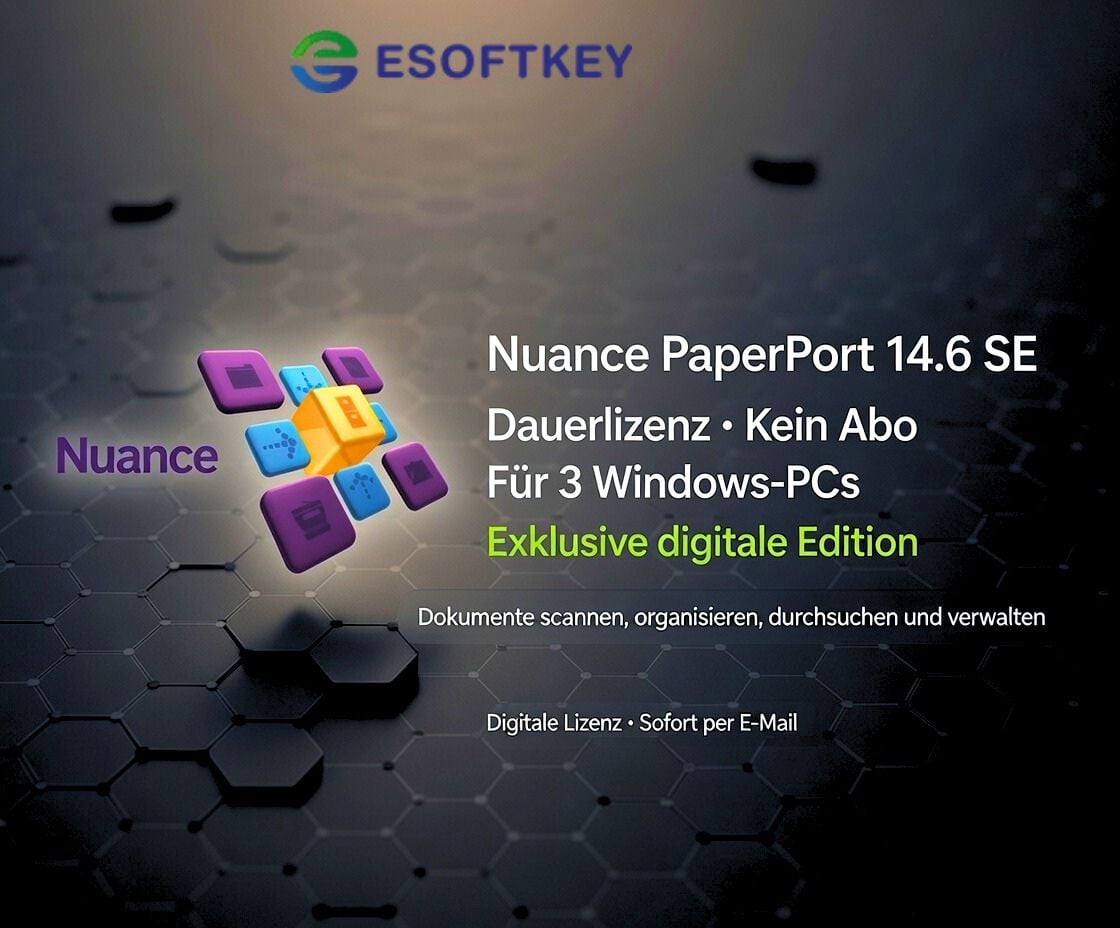
Nuance PaperPort 14.6 SE für 3 PCs – Dauerlizenz | Lifetime Key | Exklusiv digital erhältlich
📩 Nur bei uns digital verfügbar – sofortige Lieferung in 1 Sekunde per E-Mail.
🔑 Aktivierung
Aktivierung per Lizenzschlüssel (Key)
Einmalzahlung – lebenslange Nutzung (kein Abo, keine Folgekosten)
Lizenz für 3 Windows-PCs gleichzeitig
Exklusive digitale Version der PaperPort 14.6 SE Edition
Ideal for: Privatanwender, Home-Office, Studenten & Unternehmen, die Dokumente effizient digitalisieren und verwalten möchten.
✔️ Product features
Dokumentenmanagement & PDF-Lösung für den täglichen Gebrauch
Scannen, speichern, organisieren & durchsuchen von Dokumenten
Umwandlung von Papier, Bildern & PDFs in durchsuchbare Dateien
OCR-Texterkennung (basierend auf der bewährten Nuance-Technologie)
Kompatibel mit Microsoft Office & vielen Cloud-Diensten
Exklusiv als digitale Version erhältlich – nur bei uns verfügbar
⚙️ System requirements:
Windows 7, 8, 10, 11 (32- & 64-Bit)
1 GHz oder schnellerer Prozessor
2 GB RAM (empfohlen: 4 GB)
2 GB free hard disk space
📦 Scope of delivery (digital)
✅ Download link (German & English)
✅ Offizieller Lizenzschlüssel für 3 PCs
✅ Installations- & Aktivierungsanleitung (PDF)
✨ Your advantages with us
⭐ Exklusiv: Einzige digital verfügbare Version von PaperPort 14.6 SE ⭐ German support - fast & competent help ⭐ 30-day refund - full satisfaction or money back ⭐ Lebenslange Lizenz – keine Abos & keine Folgekosten ⚡ Express-Lieferung – Key in Sekunden nach Zahlungseingang ⭐ Many payment methods - convenient & secure 🌱 Umweltfreundlich – keine Verpackung, kein Versand ⭐ 99% Customer satisfaction (Trustami verified)
📑 Einsatzmöglichkeiten von PaperPort 14.6 SE
📂 Dokumentenorganisation – alle Dateien an einem Ort, schnell & übersichtlich 📄 PDF-Tools – PDFs erstellen, bearbeiten, durchsuchen & konvertieren 🔍 OCR-Texterkennung – Scans & Bilder in durchsuchbare, bearbeitbare Dokumente umwandeln ☁️ Cloud-Anbindung – kompatibel mit Dropbox, Google Drive, OneDrive u. v. m. 🏢 Effizienzsteigerung im Büro – spart Zeit & reduziert Papierstapel
📧 Customer support
Bei Fragen oder Problemen sind wir für Sie da:
📩 E-mail support
💬 Persönliche Hilfe bei Installation & Aktivierung
With PaperPort Professional 14.6 SE = Special Edition for Windows and the latest version from Nuance, you can scan paper documents, create PDF files and keep all your documents organized productively and cost-effectively in your office.
Millions of users in offices, law firms, insurance companies and doctors' surgeries rely on PaperPort on their way to an optimally organized paperless office.
Now there is the new PaperPort Professional 14, which gives you almost unlimited capture and access options for your documents. With the new "PaperPort Anywhere" online service, you can access your files anytime, anywhere and from any computer or web-enabled mobile device. PaperPort Anywhere is seamlessly integrated with PaperPort Professional 14, providing effortless access to the folders and files of your choice. This service is free - including apps for iPhones, iPads, Android™ smartphones and tablets, and up to 1GB of storage for your data.
Customers use PaperPort Professional for the following:
Organize application files, business documents, PDF files and photos
Access documents on the move with your PC or mobile device
Scan or digitally photograph paper documents so that they are not lost and can be retrieved at any time
Automatically route scanned documents from a network scanning device directly to specific PaperPort desktops
Create standard-compliant PDF files for sharing from any PC application
Display PDF files quickly and add comments and stamps
Combine related scanned and PC documents into one PDF file
Scan and move files between your desktop and shared document repositories, such as Microsoft® SharePoint®, or cloud storage services
Differences to the standard version:
Including PDF Create - PDF creation and security for the highest demands
Recording wizard with scan preview
Unlimited number of scan profiles
All-in-one indexing according to schedule
Highly compressed scanned color documents
Scanning with multifunctional devices and document distribution
Split desktop and workspace bookmarks
Support of OmniPage work processes (OmniPage required)
Microsoft® SharePoint® connection
Scanning, folder and file management in the network
Challenge for the customer
The be-all and end-all in the office is efficient customer service - there's no doubt about that. When customers call and have a question about an invoice or a project, you need immediate access to all relevant information. Most offices still work mainly with paper documents.
Accessing, sharing and combining paper and digital documents can be time-consuming, not to mention the demands of paper archiving. As a result, many companies are striving to use paper more efficiently to save time and money and make content more accessible.
Paper capture and document management software plays a crucial role in this conversion process, as it reconciles paper and digital processes. Every day, companies receive data from all over the world in a multitude of places. The many branches, departments and offices of a company are in turn spread across a wide variety of functions: Sales, customer service, support, file management, complaints, etc. Each of these departments is a hub through which all business data must be able to flow unhindered: for orders, complaints, deliveries and projects, for order processing, scheduling and other business processes.
With PaperPort, you can organize all documents centrally and work paperless. In conjunction with a scanner, you can scan any paper document directly into PDF or JPG format and display over 150 file and image formats.
File management is also very simple and fast with PaperPort: documents are filed automatically, can be found at a glance and distributed at the click of a mouse. All documents are displayed as large, easily recognizable thumbnails: You know immediately what's inside without having to open them. And if you scan the files into PDF format, you can make them available to business partners or colleagues at any time - regardless of program, platform or operating system.
What is so special about PaperPort?
PaperPort can do two things better than Windows® alone: scan paper documents and handle PDF documents. That doesn't mean you have to sacrifice the other practical features that Windows® has to offer. PaperPort integrates them, making it a better document desktop solution. So you can keep your documents in order at all times and work efficiently with them - all in one user-friendly application.
The new version 14, and PaperPort Anywhere in particular, extends this concept beyond Windows® by making the cloud available to do what's described here on any device. You can now access all your documents - scanned and digital - from any PC, Macintosh, iPhone®, iPad® or Android™.
What is special about PaperPort Anywhere?
When developing PaperPort Anywhere, we thought specifically about PaperPort users. Because they have already set up clever document processes with the software, often over many years. PaperPort Anywhere integrates seamlessly into the PaperPort 14 desktop and automatically makes its folders available to the cloud.
Once the connection is established, everything you do on the PaperPort desktop is also done in PaperPort Anywhere. This makes it easy to access the cloud without changing existing structures. Once the files are in the cloud, they can be opened, viewed and distributed from any device, regardless of location. That is extremely practical!
And if other cloud services are already in use?
PaperPort is also suitable for users who already use the cloud, as it enables an uncomplicated connection. For this purpose, it contains the "Nuance Cloud Connector" already introduced with OmniPage 18, which also enables PDF documents to be scanned, displayed and edited in other cloud services.
The connector provides direct access to cloud services such as Google® text & spreadsheets™, Windows® Live SkyDrive®, Box.net and others. It is the ideal solution if you only use the cloud occasionally for document storage, your folders do not contain a large number of documents and the organizational structure differs from that of your PC.
How is the delivery made?
Have you added your software to the shopping cart and completed the purchase of your product? Then the software you have purchased is available for you to download directly from our website. You will receive an e-mail from us with the corresponding product key and a link to download the software. Please note that an Internet connection is required to activate the product.
System requirements:
Computer with Intel Pentium compatible or newer processor
1 GB RAM
700 MB free hard disk space for application files. Additional hard disk space is required for Microsoft® .NET Framework 4 and the other required components, if not already installed
1024 x 768 pixel screen resolution with at least 16-bit color setting (High Color)
Windows® compatible pointing device
Supported operating systems
Windows® 10, 32 bit and 64 bit
Windows® 8, 32 bit and 64 bit
Windows® 7, 32 bit and 64 bit
Windows® Vista, 32 bit and 64 bit, with SP2 or higher
Windows® XP 32 Bit SP3
Supported browsers (bookmarks and PDF viewer)
Internet Explorer 7 or higher
Firefox 3, 4 or 5
Chrome 4 or higher
Legal matters
With the legally binding judgment of the Federal Court of Justice of 11.12.2014 with the file number: IZR 8/1 /3 we do not violate any rights of third parties with our offer & therefore do not violate any principles, the software is a single-user licensing from a volume contract takeover, a registration to an ID is therefore not possible. You can activate the product, use it without restriction and also obtain updates etc., but you cannot register it.
European legal situation
"A software manufacturer cannot oppose the resale of its 'used' licenses that enable the use of its programs downloaded from the Internet."
From the press release no. 94/12 on the judgment in case C-128/11 of the Court of Justice of the European Union (CJEU)
Information obligations of the seller before the sale of used software, according to OLG Hamburg, decision of June 16, 2016 - 5 W 36/16 Rn. 37 ff. = CR 2016, 642 ff.
Note: This view of the Higher Regional Court of Hamburg has not yet become the subject of supreme court rulings. Nevertheless, we adhere to it.
Accordingly, a seller of used software licenses must already inform potential buyers in his sales offer about:
the supply chain and the authorization with regard to the used software offered or the license (we are able to do this. We also have the login to the account where the licenses are stored)
the circumstances that led to the exhaustion of the distribution right of the used software under copyright law within the meaning of Section 69c No. 3 UrhG (by provable purchase of the license)
the fact that the seller and any previous owners of the software license have deleted their copies of the software or otherwise rendered them unusable (we can only act in good faith)
the right of the potential purchaser to use all updates and upgrades of the software that have been released since the initial purchase of the basic version.
(You will receive this automatically from the manufacturer as long as it is provided)
Furthermore, we can assure you that;
The contractual software was acquired for an indefinite period and paid for in full.
No ancillary agreements have been made that affect the intended use of this software.
No third-party rights to the software exist, nor have the relevant licenses been transferred to another person or entity.
The software was placed on the market in the territory of the European Union or another state party to the Agreement on the European Economic Area by way of sale with the consent of the software reseller or was transferred in accordance with the contract to an affiliated company of the original purchaser in the territory of the EU or another state party to the Agreement on the European Economic Area
How do our prices come about?
Through volume bundling
Elimination of delivery and storage fees through virtual merchandise management.
Direct imports
Long-term relationships with distributors.
Low profit margin, the main priority at eSoftkey.de is value creation and growing the customer base.
Centralized and lean administration.
Volume purchases from authorized suppliers/distributors.
Elimination of high-priced marketing investments, as more emphasis is placed on regular customers in the sense of "customers recommend customers"
we realize cost advantages that we pass on to our customers in the form of low prices.
Based on 0 reviews
0.0 overall
0
0
0
0
0
Only logged in customers who have purchased this product may leave a review.


 Adobe, For Windows, Windows
 For Windows, Microsoft Office 2021











There are no reviews yet.