
| Language: | German (German), English (English) |
|---|---|
| Brand | Microsoft |
| Shipping method: | 3 seconds sending time, e-mail |
-96%
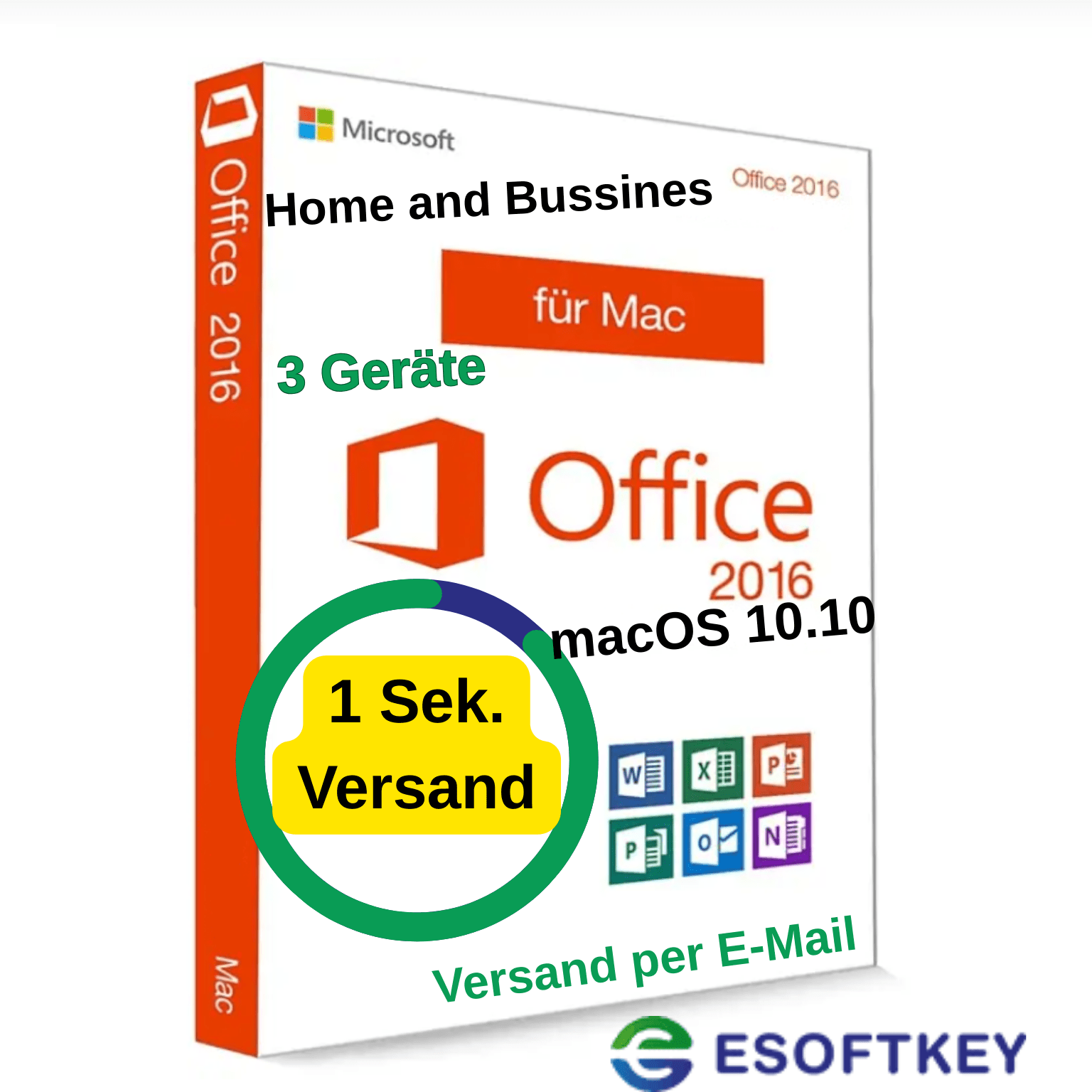
Microsoft Office for Mac, Microsoft Office, Microsoft Office 2016

Microsoft Office 2016 Home and Business For 3 MACs + Updates | Lifetime No Subscription, Volume App Activation

13,99 € 389,97 €
Microsoft Office 2016 Home & Business für 3 Macs – Dauerlizenz | Lifetime Kein Abo
📩 Digitale Lieferung in 1 Sekunde per E-Mail – schnell, sicher & bequem.
🔑 Aktivierung
-
Aktivierung über die Volumen-App (einfach, lokal, ohne Microsoft-Konto)
-
Einmalzahlung – dauerhafte Nutzung (kein Abo, keine Folgekosten)
-
Lizenz für 3 Mac-Geräte gleichzeitig
-
Updates innerhalb der Version 2016 inklusive
Ideal for: Privatanwender, Studenten, Lehrer, Selbstständige & Unternehmen
✔️ Product features
-
Permanent use incl. updates (within the version)
-
Ready to use immediately after download
-
Schritt-für-Schritt-Anleitung inklusive
-
Kein Microsoft-Konto erforderlich
-
Keine Aboverpflichtung, keine Laufzeitbegrenzung
-
Für 3 Macs gleichzeitig usable
-
Download in Deutsch & Englisch available
⚙️ Kompatibilität:
-
✔️ Kompatibel mit macOS 10.10 Yosemite bis macOS 10.13 High Sierra
-
⚠️ Nicht geeignet für macOS Mojave (10.14) oder neuer
➡️ Für aktuelle Systeme empfehlen wir Office 2019, 2021 oder 2024 für Mac (ebenfalls bei uns erhältlich).
📦 Scope of delivery (digital)
-
✅ Download link (German & English)
-
✅ Offizielles Installationspaket inkl. Volumen-App Aktivierung
-
✅ PDF-Installationsanleitung (Schritt-für-Schritt)
✨ Your advantages with us
⭐ Top-Preise – fair & günstig
⭐ German support - fast & competent help
⭐ 30-day refund - full satisfaction or money back
⭐ Lebenslange Lizenz – keine Folgekosten, kein Abo
⚡ Express-Lieferung – Versand der Lizenz in Sekunden nach Zahlungseingang
⭐ Many payment methods - convenient & secure
🌱 Environmentally friendly - digital instead of shipping
⭐ 99% Customer satisfaction (Trustami verified)
📑 Enthaltene Programme (Office 2016 Suite)
📄 Word 2016 – Textverarbeitung mit modernen Vorlagen & PDF-Export
📊 Excel 2016 – Tabellenkalkulation mit erweiterten Formeln & Diagrammen
📽️ PowerPoint 2016 – Präsentationen mit neuen Übergängen & Designs
📧 Outlook 2016 – E-Mails, Kalender & Kontakte übersichtlich verwalten
🗂️ OneNote 2016 - Digital notebook (free of charge in the App Store)
📧 Customer support
Bei Fragen oder Problemen sind wir für Sie da:
-
📩 E-mail support
-
💬 Persönliche Hilfe bei Installation & Aktivierung
Schnell, zuverlässig & unkompliziert.
- Übersicht
- Description
- What does the Office package include?
- How is the delivery made?
- Legal matters
- How do our prices come about?
- Product video / product test
- Reviews
Description
Product information "Microsoft Office 2016 Home and Business for Mac"
Writing texts, designing presentations, managing email accounts, creating spreadsheets and writing notes - Office Home and Business 2016 for Mac offers these functions, making the advantages of two systems accessible. The developers are targeting particularly demanding private users as well as small businesses with the program. The package offers the popular Office applications Word, Excel, PowerPoint, Outlook and, for the first time, OneNote. Office 2016 Mac Home and Business has been adapted to the special functions of Macs.
Sharper display than ever before
Getting started with Office Home and Business 2016 for Mac is made easier with thousands of professionally designed online templates. Text and graphics are now sharper than ever on your Retina displays. In addition, Mac users will quickly find their way around documents, presentations and spreadsheets thanks to the familiar multi-touch operation. Microsoft Office Home and Business 2016 Mac also has a new ribbon that makes it easy to intuitively arrange all the commands you want.
With Outlook, you can manage your emails, contact details, tasks and appointments quickly and easily. With the help of Office Mac Home and Business 2016 push notifications, your inbox is always up to date. Moving older emails to the online archives gives you more space in your inbox. You can also position calendars next to each other to better coordinate appointments.
Word, Excel and Co. offer many new features
With the new "Draft" tab, you can quickly access draft elements in Word and create a professional document in no time. Office Home and Business 2016 for Mac simplifies teamwork by improving sharing options and allowing comments to be left in text. The Insights option gives you the chance to search for contextual information via Bing while you work on a text.
In Excel, the "Recommended charts" function helps you to find the optimal chart for your data. In Office Home and Business 2016 for Mac, so-called pivot table data slices help you to find patterns in large amounts of data and simplify them for evaluation and processing. The improved formula generator helps you to create special formulas for your evaluations.
The developers of Microsoft Office Mac 2016 Home and Business have also upgraded PowerPoint: The improved speaker view helps you keep track of things during the presentation. You can take notes, set a timer and see the next slide in advance, while your audience only ever sees the current presentation view. You can also integrate animations into your presentation in Office Home and Business 2016 for Mac and change the design with a single click.
OneNote included in the package for the first time
For the first time, Microsoft Office Mac 2016 Home and Business also includes the OneNote digital notepad. You can use it to keep track of all your notes, add text, photos and links and organize your notes by category.
Together with the OneDrive cloud service, Office Mac Home and Business 2016 creates a flexible working environment that adapts to mobile working habits. From now on, you can access your data, documents and photos from anywhere and work on them together with colleagues. You can also access all documents from your iPhone or iPad.
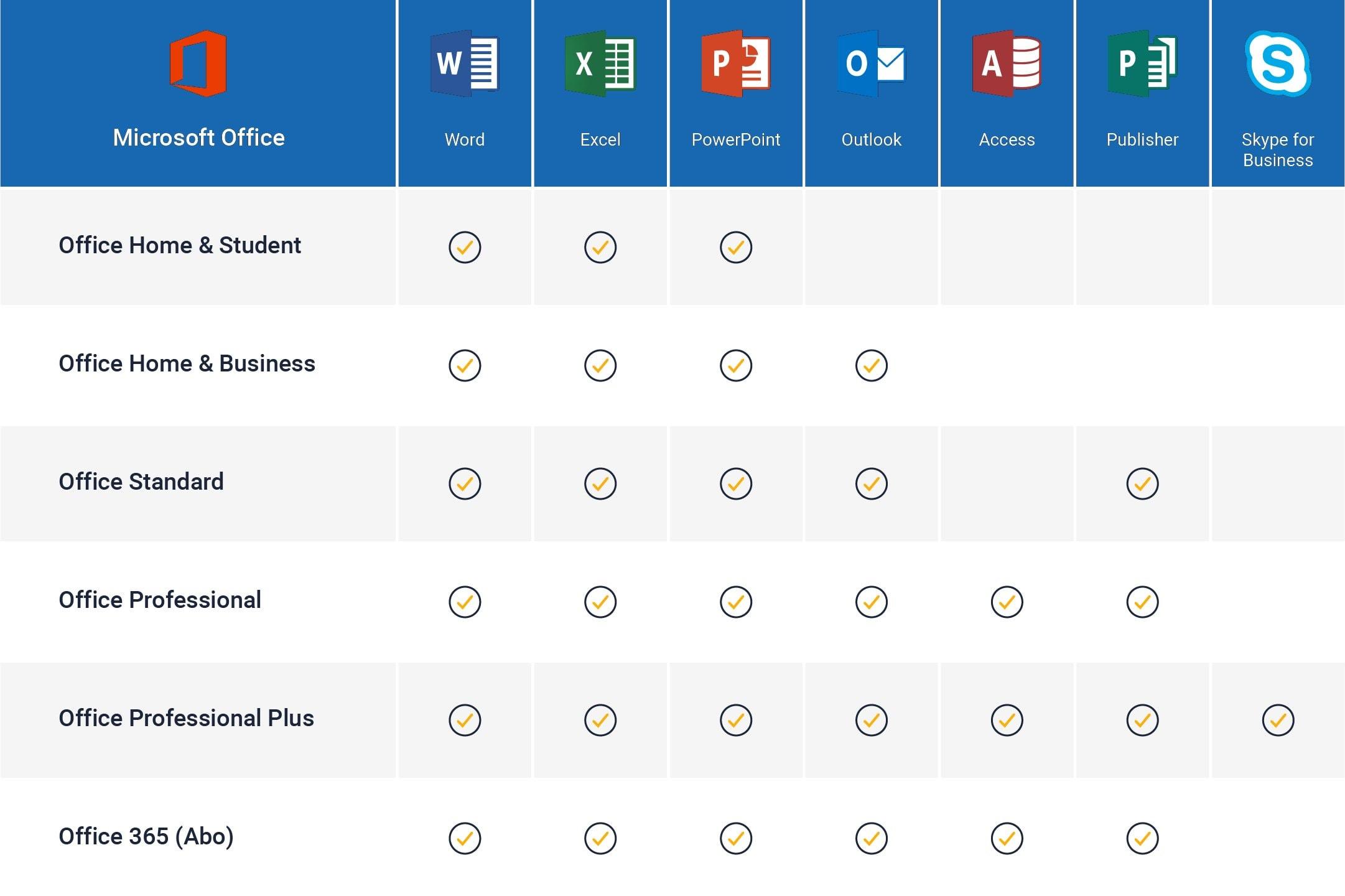
| Included programs: | Excel, OneNote, Outlook, PowerPoint, Word |
| Year: | 2016 |
| Operating system: | Mac |
Get Microsoft Office 2016 for MAC today!
What does the Office package include?
How is the delivery made?
Have you added your software to the shopping cart and completed the purchase of your product? Then the software you have purchased is available for you to download directly from our website. You will receive an e-mail from us with the corresponding product key and a link to download the software. Please note that an Internet connection is required to activate the product.
Legal matters
With the legally binding judgment of the Federal Court of Justice of 11.12.2014 with the file number: IZR 8/1 /3 we do not violate any rights of third parties with our offer & therefore do not violate any principles, the software is a single-user licensing from a volume contract takeover, a registration to an ID is therefore not possible. You can activate the product, use it without restriction and also obtain updates etc., but you cannot register it.
European legal situation
"A software manufacturer cannot oppose the resale of its 'used' licenses that enable the use of its programs downloaded from the Internet."
From the press release no. 94/12 on the judgment in case C-128/11 of the Court of Justice of the European Union (CJEU)
Information obligations of the seller before the sale of used software, according to OLG Hamburg, decision of June 16, 2016 - 5 W 36/16 Rn. 37 ff. = CR 2016, 642 ff.
Note: This view of the Higher Regional Court of Hamburg has not yet become the subject of supreme court rulings. Nevertheless, we adhere to it.
Accordingly, a seller of used software licenses must already inform potential buyers in his sales offer about:
- the supply chain and authorization with regard to the used software offered or the license (we are able to do this. We also have the login to the Microsoft account where the licenses are stored)
- the circumstances that lead to the exhaustion of the distribution right of the used software under copyright law within the meaning of the German Copyright Act. § 69c No. 3 UrhG (through verifiable purchase of the license)
- the fact that the seller and any previous owners of the software license have deleted their copies of the software or otherwise rendered them unusable (we can only act in good faith)
- the right of the potential purchaser to use all updates and upgrades of the software that have been released since the initial purchase of the basic version.
(You will receive this automatically from Microsoft as long as it is made available)
Furthermore, we can assure you that;
- The contractual software was acquired for an indefinite period and paid for in full.
- No ancillary agreements have been made that affect the intended use of this software.
- No third-party rights to the software exist, nor have the relevant licenses been transferred to another person or entity.
- The software was placed on the market in the territory of the European Union or another state party to the Agreement on the European Economic Area by way of sale with the consent of the software reseller or was transferred in accordance with the contract to an affiliated company of the original purchaser in the territory of the EU or another state party to the Agreement on the European Economic Area
How do our prices come about?
- Through volume bundling
- Elimination of delivery and storage fees through virtual merchandise management.
- Direct imports
- Long-term relationships with distributors.
- Low profit margin, the main priority at eSoftkey.de is value creation and growing the customer base.
- Centralized and lean administration.
- Volume purchases from authorized suppliers/distributors.
- No need for high-priced marketing investments, as we place more value on regular customers in the sense of "customers recommend customers", we realize cost advantages that we pass on to our customers through low prices.
Product video / product test
Based on 0 reviews
Only logged in customers who have purchased this product may leave a review.
Related products
-
For Windows, Microsoft Office 2021
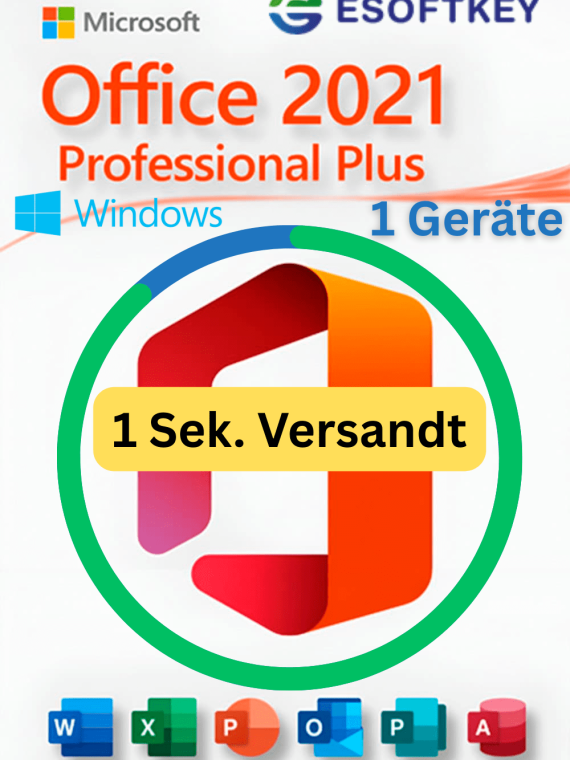
Microsoft Office 2021 Professional Plus Für 1 PCs Windows + Updates | Lifetime Kein Abo
-98% For Windows, Microsoft Office 2021
Microsoft Office 2021 Professional Plus Für 1 PCs Windows + Updates | Lifetime Kein Abo
💻 Microsoft Office 2021 Professional Plus für Windows – Volumenlizenz | Lifetime Kein Abo
📩 Digitale Lieferung in 1 Sekunde per E-Mail – schnell, sicher & bequem.
🔑 Aktivierung
Aktivierung über den Volumen-Key ✅ Einmalzahlung = dauerhafte Nutzung (kein Abo, keine Folgekosten) ✅ Offline möglich (nach Installation) ✅ Kein Microsoft-Konto erforderlich
💾 Produktinformationen
- License type: Microsoft Volumen-Key (Vollversion)
- Dauerlizenz – lebenslang gültig, inkl. Updates
- Devices: Für 1 Windows-PC gleichzeitig
- Editionen: Office 2021 Professional Plus Volumenversion
- Verwendung: Privat, gewerblich, Behörde.
⚙️ Kompatibilität
✔️ Windows 11 ✔️ Windows 10 ⚠️ Nicht kompatibel mit Windows 8, 7 oder älter ➡️ Für macOS empfehlen wir die Version Office 2021 für Mac (ebenfalls bei uns erhältlich).
📦 Scope of delivery (digital)
✅ Downloadlink (Englisch & Deutsch Sprachpaket) ✅ Volumen-Key ✅ PDF-Installations- & Aktivierungsanleitung (Schritt für Schritt)
🌟 Ihre Vorteile bei uns
⭐ Sehr günstig & faire Preise gegenüber anderen Anbietern ⭐ Deutscher Support – schnell & kompetent ⭐ 30-Tage Rückerstattung – volle Zufriedenheit oder Geld zurück ⭐ Lebenslange Garantie – keine Aboverpflichtung ⚡ Versand in Sekunden nach Zahlungseingang ⭐ 99 % Kundenzufriedenheit (Trustami geprüft) 🌱 Umweltfreundlich – keine Verpackung, kein Transport 🇩🇪 Deutscher CEO & Serverstandort
📑 Enthaltene Programme (Office-Suite)
📄 Word 2021 – Textverarbeitung & PDF-Export 📊 Excel 2021 – Tabellen, Formeln & Diagramme 📽️ PowerPoint 2021 – Präsentationen mit Designs & Übergängen 📧 Outlook 2021 – E-Mails, Kalender & Kontakte 🗂️ Publisher 2021 – Professionelle Layouts & Designs 📝 Access 2021 – Datenbanken & Tools 📒 OneNote 2021 – Digitales Notizbuch (Download kostenlos)
💬 Kundensupport
Bei Fragen oder Problemen helfen wir Ihnen jederzeit weiter: 📩 E-Mail-Support: support@esoftkey.de 💬 Persönliche Hilfe bei Installation & Aktivierung Schnell, zuverlässig & unkompliziert.SKU: n/a -
Adobe, For Windows, Windows
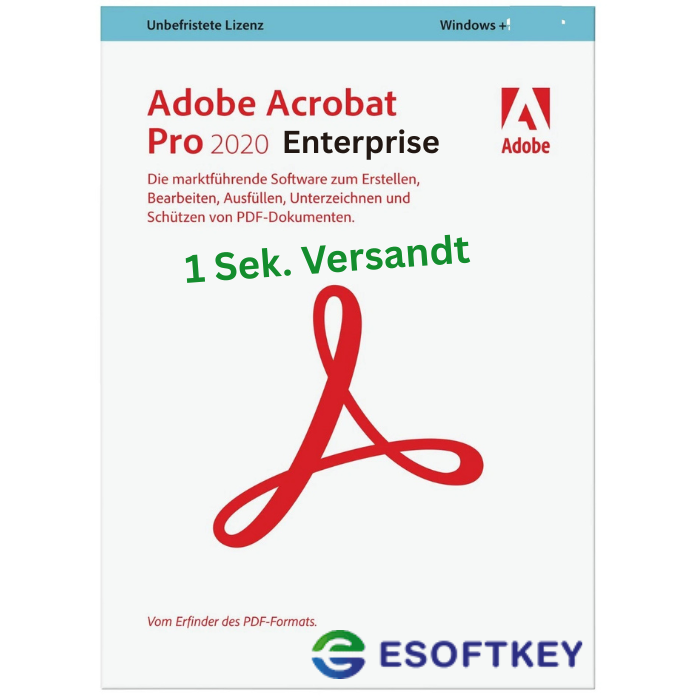
Adobe Acrobat Pro 2020 Enterprise Für 1 PC + Updates | Lifetime Kein Abo
-96% Adobe, For Windows, Windows
Adobe Acrobat Pro 2020 Enterprise Für 1 PC + Updates | Lifetime Kein Abo
🧾 Adobe Acrobat Pro 2020 Enterprise – Dauerlizenz | Lifetime Kein Abo
📩 Digitale Lieferung in 1 Sekunde per E-Mail – schnell, sicher & bequem
🔑 Aktivierung
Aktivierung erfolgt über die Volumenlizenz (ohne Adobe-Konto möglich)
💰 Einmalzahlung – dauerhafte Nutzung (kein Abo, keine Folgekosten)
Lizenz für 1 Windows-PC
Updates innerhalb der Version 2020 inklusiveIdeal for: Privatanwender, Unternehmen, Bildungseinrichtungen & Behörden
✔️ Product features
-
Dauerhafte Nutzung inkl. aller Updates innerhalb der Version 2020
-
Kein Adobe-Konto oder Online-Login erforderlich
-
Offline-Installation & Aktivierung möglich
-
Keine Aboverpflichtung, keine Laufzeitbegrenzung
-
Volumenlizenz-Version (Enterprise)
-
Schritt-für-Schritt-Installationsanleitung inklusive
-
Download in Deutsch & Englisch available
📑 Enthaltenes Programm – Adobe Acrobat Pro 2020 Enterprise
🧾 Professionelles PDF-Management
– PDFs erstellen, bearbeiten, zusammenführen, teilen & konvertieren
– Word-, Excel-, PowerPoint-, JPG-, PNG- & TXT-Dateien in PDF umwandeln
– PDFs in Office-Dokumente zurückkonvertieren (z. B. PDF → Word oder Excel)🔍 OCR-Texterkennung (optische Zeichenerkennung)
– Scans automatisch in durchsuchbare & bearbeitbare Texte umwandeln
– Unterstützung für über 30 Sprachen, darunter Deutsch, Englisch, Französisch & Italienisch✍️ Formulare & Signaturen
– PDF-Formulare erstellen, ausfüllen & speichern
– Digitale Unterschriften & Zertifikate einfügen
– Unterstützung für Adobe Sign (optional)🔒 Erweiterte Sicherheit & Datenschutz
– Passwortschutz & Verschlüsselung für PDF-Dateien
– Rechteverwaltung (z. B. Drucken, Kopieren oder Bearbeiten einschränken)
– Schwärzen (Redaction) sensibler Informationen📂 Dokumentenmanagement & Zusammenarbeit
– Kommentare, Markierungen & Anmerkungen hinzufügen
– Seiten neu anordnen, drehen oder entfernen
– Dateien kombinieren & PDF-Portfolios erstellen
– Optimierte Druck- & Prepress-Funktionen für Profis⚙️ Enterprise-Vorteile
– Offline-Aktivierung & Nutzung (kein Login oder Cloud-Zwang)
– Zentrale Volumenlizenz (Enterprise) – ideal für Firmen & Behörden
– Kompatibel mit Windows 10 & 11 (64 & 32 Bit)
– Langzeitstabile Classic-Version – keine erzwungenen Cloud-Updates
⚙️ Kompatibilität
✔️ Kompatibel mit Windows 10 & Windows 11 (alle Editionen, 64-Bit & 32-Bit)
⚠️ Nicht kompatibel mit macOS oder der Adobe Creative Cloud Retail-Version➡️ Für ältere Windows-Versionen (z. B. 8.1 oder 7) ist eine manuelle Installation im Kompatibilitätsmodus möglich
📦 Lieferumfang (digital)
✅ Downloadlink zur offiziellen Enterprise-Version
✅ Installationsdatei Enterprise
✅ Enterprise-Volumenlizenz
✅ Schritt-für-Schritt-Installationsanleitung (PDF)
✨ Ihre Vorteile bei eSoftkey.de
⭐ Top-Preise – deutlich günstiger als Einzellizenzen
⭐ Deutscher Support – direkt & kompetent
⭐ 30-Tage Rückerstattung – volle Zufriedenheit oder Geld zurück
⭐ Lebenslange Lizenz – ohne Abo & ohne Folgekosten
⚡ Express-Lieferung – Download & Lizenz sofort nach Zahlung
⭐ Viele Zahlungsmöglichkeiten – sicher & flexibel
🌱 Umweltfreundlich – digitaler Versand, kein Verpackungsmüll
⭐ 99 % Kundenzufriedenheit – Trustami geprüft
📧 Kundensupport
Bei Fragen oder Problemen stehen wir Ihnen jederzeit zur Seite:
📩 E-Mail: support@esoftkey.de
💬 Persönliche Hilfe bei Installation & AktivierungSchnell, zuverlässig & unkompliziert.
SKU: n/a -
-
Acoustica, For Windows
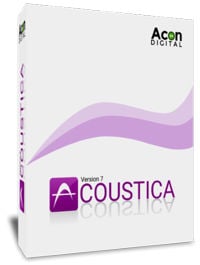
Acon Digital Acoustica Premium 7 For 3 PC | Windows
What you need to know!
- New product key ( Does NOT include the license for Melodyne )
- Sent by e-mail within 3 seconds after successful payment
- You can activate the key whenever you want (not time-limited)
- Download now
- 32&64-Bit available
- Without term or restrictions NO ABO
- Lifetime + Updates
Scope of delivery: License key + download link + manual (only available in English) in PDF. YOUR BENEFITS AT A GLANCE:License type: Volume (full version for commercial and private use) Manufacturer: Acoustica Devices: For 3 devices Duration: Valid for life, permanent + updates - ⭐Very favorable and fair prices compared to other providers!
- ⭐German support.
- ⭐Full refund 30 days.
- ⭐Lifetime guarantee.
- ⭐Dispatch immediately after receipt of payment within 3 seconds.
- ⭐ 99 percent satisfaction according to Trustami.
- ⭐Environmentally conscious: no packaging, no transportation.
- ⭐German CEO.
SKU: n/a -
For Windows, Microsoft Office 2021
Microsoft Office 2021 Professional Plus Für 3 PCs Windows + Updates | Lifetime Kein Abo
-96%For Windows, Microsoft Office 2021Microsoft Office 2021 Professional Plus Für 3 PCs Windows + Updates | Lifetime Kein Abo
💻 Microsoft Office 2021 Professional Plus für Windows – Volumenlizenz | Lifetime Kein Abo
📩 Digitale Lieferung in 1 Sekunde per E-Mail – schnell, sicher & bequem.
🔑 Aktivierung
Aktivierung über die Volumen-Key ✅ Einmalzahlung = dauerhafte Nutzung (kein Abo, keine Folgekosten) ✅ Offline möglich (nach Installation) ✅ Kein Microsoft-Konto erforderlich
💾 Produktinformationen
- License type: Microsoft Volumen-Key (Vollversion)
- Dauerlizenz – lebenslang gültig, inkl. Updates
- Devices: Für 3 Windows-PCs gleichzeitig
- Editionen: Office 2021 Professional Plus Volumenversion
- Verwendung: Privat, gewerblich, Behörde.
⚙️ Kompatibilität
✔️ Windows 11 ✔️ Windows 10 ⚠️ Nicht kompatibel mit Windows 8, 7 oder älter ➡️ Für macOS empfehlen wir die Version Office 2021 für Mac (ebenfalls bei uns erhältlich).
📦 Scope of delivery (digital)
✅ Downloadlink (Englisch & Deutsch Sprachpaket) ✅ Volumen-Key ✅ PDF-Installations- & Aktivierungsanleitung (Schritt für Schritt)
🌟 Ihre Vorteile bei uns
⭐ Sehr günstig & faire Preise gegenüber anderen Anbietern ⭐ Deutscher Support – schnell & kompetent ⭐ 30-Tage Rückerstattung – volle Zufriedenheit oder Geld zurück ⭐ Lebenslange Garantie – keine Aboverpflichtung ⚡ Versand in Sekunden nach Zahlungseingang ⭐ 99 % Kundenzufriedenheit (Trustami geprüft) 🌱 Umweltfreundlich – keine Verpackung, kein Transport 🇩🇪 Deutscher CEO & Serverstandort
📑 Enthaltene Programme (Office-Suite)
📄 Word 2021 – Textverarbeitung & PDF-Export 📊 Excel 2021 – Tabellen, Formeln & Diagramme 📽️ PowerPoint 2021 – Präsentationen mit Designs & Übergängen 📧 Outlook 2021 – E-Mails, Kalender & Kontakte 🗂️ Publisher 2021 – Layouts & Design 📝 Access 2021 – Datenbanken erstellen & verwalten 📒 OneNote 2021 – Digitales Notizbuch (Download kostenlos)
💬 Kundensupport
Bei Fragen oder Problemen helfen wir Ihnen jederzeit weiter: 📩 E-Mail-Support: support@esoftkey.de 💬 Persönliche Hilfe bei Installation & Aktivierung Schnell, zuverlässig & unkompliziert.SKU: n/a -
Microsoft Office for Mac, Microsoft Office 2019
Microsoft Office 2019 Home & Business For 3 MACs + Updates | Lifetime No subscription, volume app activation
-97%Microsoft Office for Mac, Microsoft Office 2019Microsoft Office 2019 Home & Business For 3 MACs + Updates | Lifetime No subscription, volume app activation
Microsoft Office 2019 Home & Business für 3 Macs – Dauerlizenz | Lifetime Kein Abo
📩 Digitale Lieferung in 1 Sekunde per E-Mail – schnell, sicher & bequem.
🔑 Aktivierung
-
Aktivierung über die Volumen-App (offline möglich, kein Microsoft-Konto nötig)
-
Einmalzahlung – dauerhafte Nutzung (kein Abo, keine Folgekosten)
-
Lizenz für 3 Mac-Geräte gleichzeitig
-
Updates innerhalb der Version 2019 inklusive
Ideal for: Privatanwender, Lehrer, Schüler, Selbstständige & Unternehmen
✔️ Product features
-
Permanent use incl. updates (within the version)
-
Ready to use immediately after download
-
Verständliche Schritt-für-Schritt-Anleitung enthalten
-
Kein Microsoft-Konto erforderlich
-
Keine Aboverpflichtung, keine Laufzeitbegrenzung
-
Für 3 Macs gleichzeitig usable
-
Download verfügbar in Deutsch & Englisch
⚙️ Kompatibilität:
✔️ Kompatibel mit macOS 10.13 High Sierra bis macOS 11 Big Sur
⚠️ Nicht geeignet für macOS 12 Monterey oder neuer
➡️ Für aktuelle Systeme empfehlen wir Office 2021 oder 2024 für Mac (ebenfalls bei uns erhältlich).
📦 Scope of delivery (digital)
-
✅ Download link (German & English)
-
✅ Offizielles Installationspaket inkl. Volumen-App Aktivierung
-
✅ PDF-Installationsanleitung (Schritt-für-Schritt)
✨ Your advantages with us
⭐ Top-Preise – fair & günstig
⭐ German support - fast & competent help
⭐ 30-day refund - full satisfaction or money back
⭐ Lebenslange Lizenz – keine Folgekosten, kein Abo
⚡ Express-Lieferung – Versand der Lizenz in Sekunden
⭐ Many payment methods - convenient & secure
🌱 Environmentally friendly - digital instead of shipping
⭐ 99% Customer satisfaction (Trustami verified)
📑 Enthaltene Programme (Office 2019 Suite)
📄 Word 2019 – Textverarbeitung inkl. PDF-Export & Design-Tools
📊 Excel 2019 – Tabellenkalkulation mit erweiterten Diagrammen & Formeln
📽️ PowerPoint 2019 – Präsentationen mit Morph-Übergängen & Zoom-Funktionen
📧 Outlook 2019 – E-Mails, Kalender & Kontakte effizient verwalten
🗂️ OneNote 2019 - Digital notebook (free of charge in the App Store)
📧 Customer support
Bei Fragen oder Problemen sind wir für Sie da:
-
📩 E-mail support
-
💬 Persönliche Hilfe bei Installation & Aktivierung
Schnell, zuverlässig & unkompliziert.
SKU: n/a -










There are no reviews yet.